
Player Binding
Player binding links in-game Minecraft characters to web panel accounts. A single panel account can bind multiple Minecraft characters and designate one as the primary character for avatar and profile display.
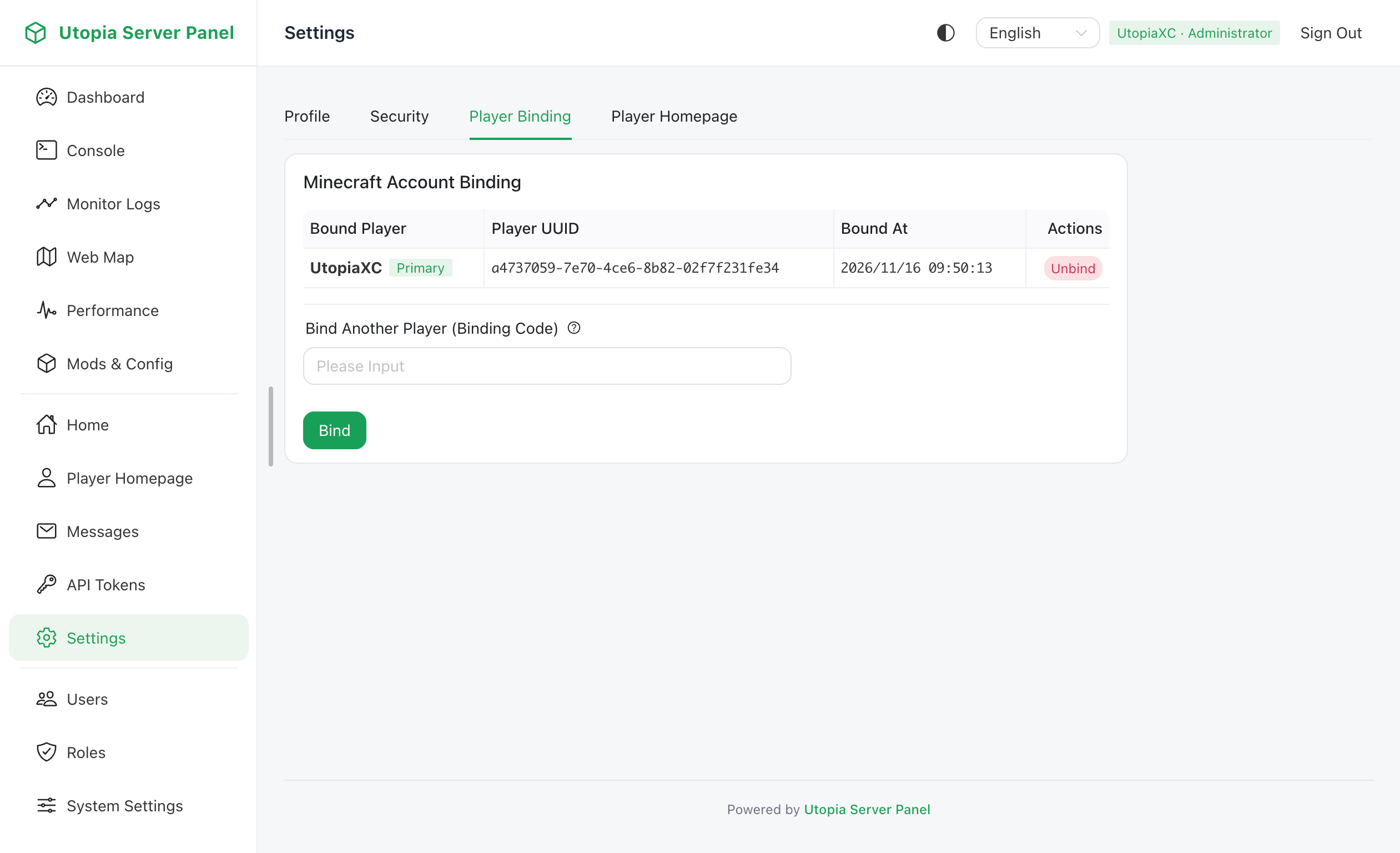
Binding Workflow
- Join the Minecraft server and run
/usp bindin the in-game chat. - The server generates a one-time expiring binding code visible only to that player.
- Log in to the web panel and submit the binding code on the Player Binding page.
- Once bound, the panel associates the character's UUID, username, online status, dimension, and skin texture with your account.
Multi-Character & Primary Player Management
- One panel account can bind multiple Minecraft characters by repeating
/usp bind. - Each Minecraft character can only be bound to one panel account at a time.
- Any bound character can be marked as the primary player, which is prioritized on your public player homepage.
- Players can unbind characters from the web panel at any time or run
/usp unbindin-game.
Registration & Enforcement Policies
Administrators can configure the following options under System Settings -> Panel Settings -> Registration & Binding:
| Setting | Description |
|---|---|
requireBindingOnRegister | Requires a valid /usp bind code during public user registration |
forcePlayerBinding | Prompts logged-in users without any bound characters to complete binding before using panel features |