
Player Profile
Utopia Server Panel provides a public player homepage for every user at /u/username, allowing visitors to view a privacy-filtered player card and in-game statistics without logging in.
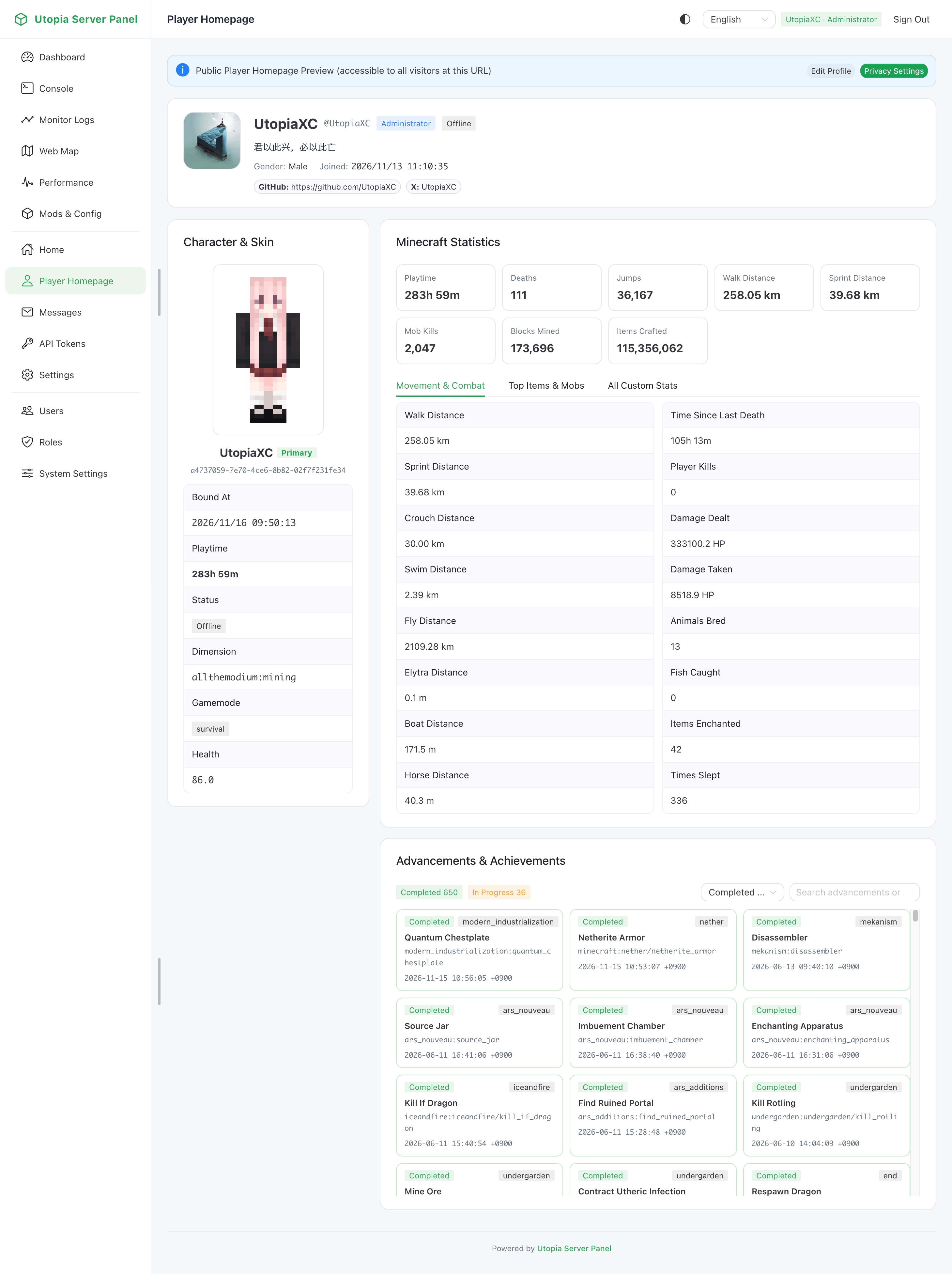
Displayed Information
The player homepage combines web profile details with live in-game save data:
- Profile Card: Nickname, username, avatar, gender, birthday, bio, and linked social accounts.
- Minecraft Character & 3D Skin: Displays bound character name, UUID, and an interactive 3D skin canvas with automatic classic and slim arm model detection.
- In-Game Statistics: When save data is available for the bound player, displays online status, current dimension, coordinates, health, hunger, experience level, and game mode.
- Whitelist Shortcut: When whitelist management is enabled, visitors can also access the whitelist portal from the navigation bar.
Profile & Privacy Controls
Users can edit their profile in Personal Settings and configure independent visibility toggles for each public profile field:
| Privacy Field | Controlled Scope |
|---|---|
showProfile | Whether the public profile page itself is accessible |
showBio | Whether the personal bio is visible |
showGender | Whether gender is visible |
showBirthday | Whether birthday is visible |
showEmail | Whether email address is visible |
showSocialAccounts | Whether linked social accounts are visible |
showBoundPlayers | Whether bound Minecraft characters are visible |
showPlayerStats | Whether in-game stats and online status are visible |
showPlayerLocation | Whether current dimension and exact coordinates are visible |
If a user disables public profile visibility, external visitors navigating to /u/username will not see their details, while the account owner and authorized administrators can still preview it.