Getting Started
Utopia Server Panel is a web management panel loaded as a Minecraft mod, so you only need to place the .jar file matching your mod loader and Minecraft version into your mods/ folder.
Installation & Setup
- Download the
.jarmatching your Minecraft version and mod loader from GitHub Releases, CurseForge, or Modrinth. - Place the
.jarinto themods/directory of your server or local game instance and start the server. - Check the
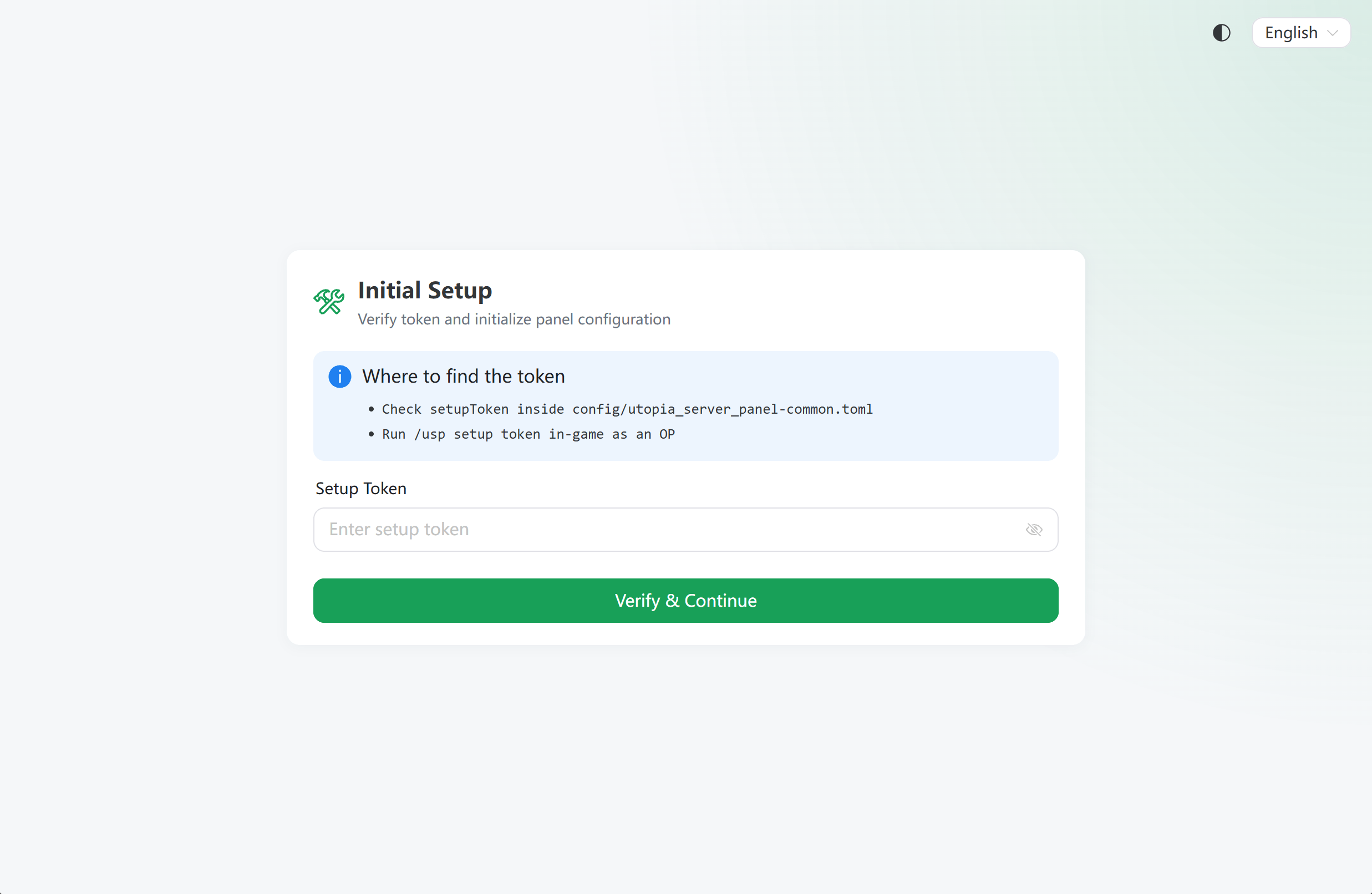
setupTokeninconfig/utopia_server_panel.toml, or run/usp setup tokenin-game / in the server console to retrieve the initial setup token. - Optional: You can change the web panel port in
config/utopia_server_panel.tomlif needed (default:55533). Restart the Minecraft server after making changes. - Open
http://<server-ip>:55533in your browser to finish the administrator setup wizard.
Note: If you use a launcher that can install mods directly from CurseForge or Modrinth (such as HMCL), you can install this mod directly inside the launcher.
Supported Platforms
Notice
Only 1.7.10, 1.12.2, 1.16.5, 1.21.1 and 26.3 have done local smoke testing. If you are using other versions, please use it carefully.
| Platform | Minecraft Versions | Java |
|---|---|---|
| Forge | 1.7.10, 1.12.2, 1.16.5 – 26.3 | Java 8+ (1.7.10–1.16.5), Java 17+ (1.18–1.20.4), Java 21+ (1.20.6–1.21.11), Java 25+ (26.x) |
| NeoForge | 1.20.4 – 26.3 | Java 17+ (1.20.4), Java 21+ (1.20.6–1.21.11), Java 25+ (26.x) |
| Fabric | 1.16.5 – 26.3 | Java 8+ (1.16.5), Java 17+ (1.18–1.20.4), Java 21+ (1.20.6–1.21.11), Java 25+ (26.x) |