Mods & Server Config
The Mods & Server Config module lets you inspect installed mods and view or edit server.properties and mod configuration files directly from the browser.
Overview
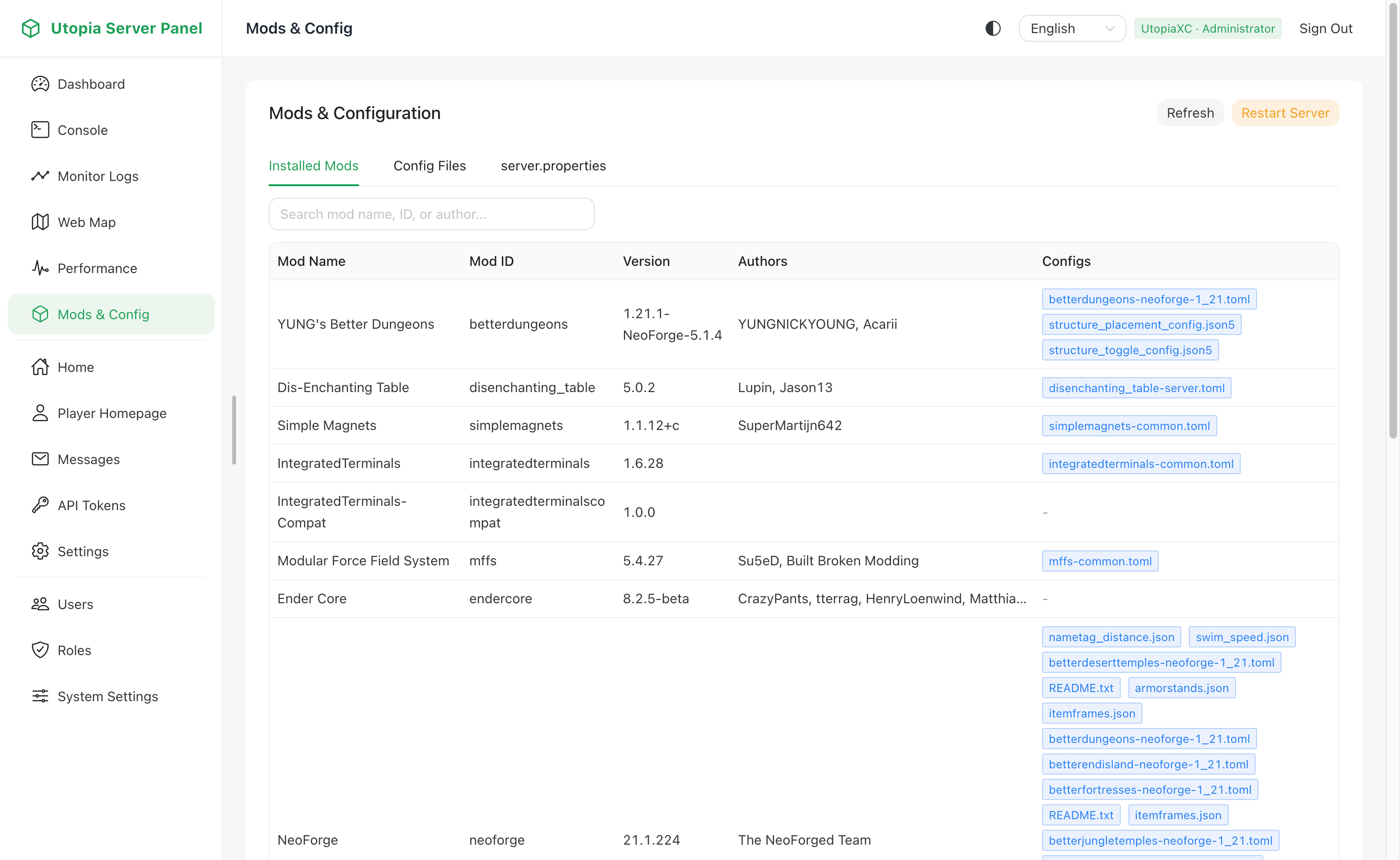
- Installed Mods Overview: Lists every loaded mod's display name, mod ID, version, and description.
- Mod Config Editor: Scans text configuration files such as
.toml,.json,.properties, and.cfginsideconfig/and provides an online editor to modify and save changes. - server.properties Editor: View and edit core server properties including port, game mode, view distance, difficulty, and MOTD.
- One-Click Restart: Trigger a server restart directly from the page after updating critical configuration files.
Permission Control
| Requirement | Allowed Action |
|---|---|
mods_config:1 | Read-only access to installed mods, config/ files, and server.properties |
mods_config:2 | Edit and save mod configs, update server.properties, and trigger server restarts |
Related Settings
The exact behavior of the Restart Server button is controlled under System Settings -> In-Game Integration -> Server Restart. See In-Game Integration:
serverRestartCommand: Command sent to the server when restarting; defaults tostopwhen left empty so an external supervisor can restart the process.serverRestartHint: Confirmation hint shown to administrators before restarting, such as reminders for Docker or systemd setups.